How to listen to arXiv papers (and what any text-to-speech tool gets wrong)
arXiv is close to the best case for listening to research. Nearly every paper on it was built from LaTeX source, so the PDF has real, selectable text rather than a scanned image, and a read-aloud extension can start on it immediately — no upload, no conversion. It's also the worst case in one specific way: figure captions and long equations still trip up every text-to-speech tool, ours included. This guide covers both halves: the setup, the abstract-first workflow, the HTML versions that often listen better than the PDF, and an honest list of what to expect.
Listen to a paper in three steps
- Install a read-aloud extension. We make Lullula, free for Chrome, Edge and Firefox. It reads PDFs, including scanned ones, and web pages, which covers both formats arXiv offers. No account needed to start.
- Open the paper in a tab. On the abstract page, the PDF link opens the paper in your browser's own viewer. If the abstract page also shows an HTML link, that version is usually the cleaner listen — more on that below.
- Press play. The paper is read aloud in a natural voice, each sentence is highlighted as it's spoken so you can follow a dense argument with your eyes, and, once you sign in, your place is saved. Close the tab at the end of the method section and resume there tomorrow.
Speed is adjustable from 0.5× to 2×. Most people settle at 1.3× to 1.5× within a week; past that you're skimming with your ears — fine for related work, wrong for the part you need.
Check one paragraph before listening to the whole paper
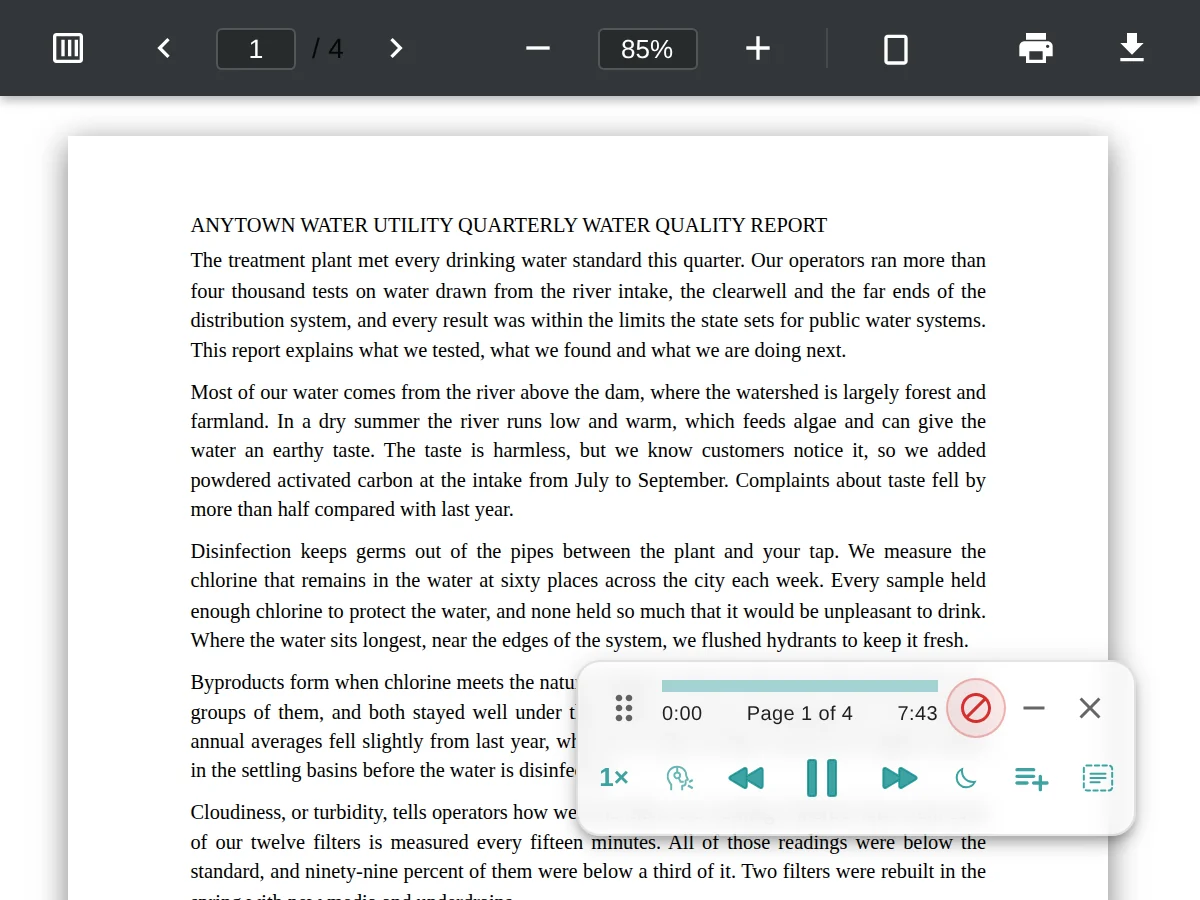
Before settling in for a long paper, use its first prose paragraph as a quick check. Keep the page visible for this first listen so you can compare the highlight with the text.
- Listen to the opening paragraph at 1×. Check that the voice follows the paragraph in order rather than jumping between columns or into a caption.
- Replay a sentence. Use the previous-sentence control when a term or claim needs another pass; pause to inspect a table or long equation on screen.
- Switch formats if the order is wrong. Try the paper's HTML version when arXiv offers one. If you stay with the PDF, check the next page boundary before relying on a long uninterrupted listen.
For local files and scanned documents, the PDF listening guide explains permissions and recognition. If you're gathering paper links and notes in a workspace, see how to read Notion pages aloud too; open an embedded paper in its own tab to hear the document.
The abstract-first workflow: summary, then decide
A reading list of thirty papers is not thirty listens. An 8,000-word paper is about 55 minutes at normal speed, so the expensive mistake isn't listening slowly, it's listening to the wrong paper. The workflow that works: read the abstract on the arXiv page first — it's short, and it's the authors' own summary. If it's promising, open the full paper and ask for an AI summary; thirty seconds tells you whether the method section matters for your question or whether the abstract already gave you everything. Only the survivors get the full listen.
One data note: AI summaries send the paper's text to Lullula's servers and an AI provider (you can turn summaries off in the extension's settings), and a premium voice sends the text it reads to our servers to generate the audio. The PDF itself is never uploaded.
PDF or HTML? The HTML version is often the cleaner listen
Since late 2023, arXiv has generated HTML versions of new papers from their LaTeX source. When one exists, the abstract page shows an HTML link next to the PDF link, and the address is arxiv.org/html/ followed by the paper's ID. For listening it's usually the better choice: a single column instead of two, and figure captions in their own blocks rather than interrupting a paragraph mid-sentence. It reads like any other web page.
The caveats: not every paper has one — the conversion fails on some LaTeX, and older papers were never converted — so the PDF stays the fallback. HTML also carries its equations as math Lullula can read directly, rather than as symbols placed on a page. That brings us to the honest part.
Where every text-to-speech tool still struggles: equations, citations, captions
Equations. Typeset math is symbols positioned on a page, not a sentence. Lullula reads it as spoken math: on arXiv's HTML pages from the MathML the page already carries, and in a PDF by recognizing each equation first, once you sign in (that recognition uses your premium allowance). Short expressions come out naturally; a long derivation is still easier to follow with your eyes than by ear. What helps there is the highlighting: when the voice reaches an equation, you can see which one, glance at it yourself, and let playback move on to the prose that explains it.
Citation markers. Numeric markers like "[12]" are left out of the audio; author–year citations like "(Vaswani et al., 2017)" are read as written, so a related-work section full of them is noisy. If you know the field, that's the section to skip.
Figure captions and reading order. In a two-column PDF, a caption can land in the middle of a paragraph, and the reading order across columns can occasionally surprise you. The HTML version avoids most of this, which is the main reason to prefer it.
Tables and the reference list. A table of numbers is easier to look at than to hear, so glance at it when the voice reaches one. The reference list isn't read aloud at all: Lullula leaves it out unless you turn on Read references & metadata in its settings.
Long papers and surveys: resume across sessions
A 40-page survey is a week of listening, not an afternoon. Once you sign in (it's free), your place is saved per document, so you can close the tab at the end of a section and pick up from the same sentence the next day, and you can save the papers you're working through with Listen later, so the queue lives in your Lullula library. For book-length PDFs, the PDF guide covers the page-boundary quirks.
Ways to listen to research papers, compared
| Option | What you get | Best when |
|---|---|---|
| Lullula (that's us) | Reads the PDF or HTML version in place, with sentence highlighting, saved place and summaries. Unlimited listening in browser voices, free and with no account, plus 2,000 premium words a month once you sign in. | Papers live in your browser tabs and you want to read along with the highlight. |
| Paper-to-audio apps | You upload the PDF, their servers process it, and you get a podcast-style feed on your phone. Some try to handle references and equations more gracefully than a plain reader. | You want a phone-first queue and don't mind uploading, which matters for unpublished or licensed papers. |
| Edge's built-in Read Aloud | Free, no install, and it reads PDFs in Edge's viewer. No saved place, no summary, whole-page reading. | You use Edge and listen occasionally. |
| Your operating system | Narrator (Windows) or Spoken Content (macOS) read anything on screen, free. | No install at all, and you can live with a system voice and no highlighting. |
Frequently asked questions
Does arXiv have an audio version of papers?
No. arXiv publishes the PDF, the source files and, for many recent papers, an HTML version. Turning any of those into audio is up to you, which is what the steps above are for.
Can it read the equations?
Partly. Lullula reads math as spoken math: on arXiv's HTML pages from the MathML the page already carries, and in a PDF by recognizing each equation first, once you sign in (that recognition uses your premium allowance). Short expressions read naturally; long derivations are still easier to follow with your eyes, and the highlight shows which one it's on.
Should I listen to the PDF or the HTML version?
HTML when it exists: a single column, captions kept out of the paragraphs, and equations as math Lullula can read directly. PDF when it doesn't, which is the case for older papers and for some newer ones whose LaTeX didn't convert.
How long does a paper take to listen to?
Figure 130 to 150 spoken words a minute at normal speed. An 8,000-word paper is about 55 minutes at 1×, or under 40 minutes at 1.5×.
Is the paper uploaded anywhere?
The file, no: it opens in your browser. A premium voice sends the text it reads to Lullula's servers to produce the audio, and AI summaries send the paper's text to our servers and an AI provider. Equations, and any scanned page your device can't read, are also sent to our servers so they can be read aloud. We don't monitor pages you don't ask Lullula to read, and we don't sell your data; the privacy policy has the specifics.
What about papers from journals, or old scanned articles?
Journal PDFs with selectable text work the same way: drag the file into a tab and press play. Scanned articles work too. When a PDF page is only an image, such as a scan or a photographed document, Lullula recognizes the text in your browser and reads it aloud with the same sentence highlighting. If your device can't do that quickly or clearly, that page is recognized on our server instead, which uses about 100 words of your premium allowance per page. Clean, printed scans work best, and the first scanned PDF takes a little longer while the recognizer downloads.
Start with the paper at the top of your list
Open its abstract page, click the HTML link if there is one, and press play on the introduction. Within a section you'll know whether hearing papers suits you, and the free tier is enough to find out. The full detail on PDF support is on the Read PDFs aloud page.