How to read Notion pages aloud (and what doesn't read well)
Notion doesn't have a read-aloud button. What it has instead is the property that makes one unnecessary: every Notion page you open in Chrome, Edge or Firefox is an ordinary web page, with the text sitting right there in the tab. That means a read-aloud extension built for web pages can read it — your meeting notes, the team wiki, a course outline, the draft you've rewritten four times — in a natural voice, free, without exporting anything or connecting an integration to your workspace. Here's the setup, the parts of Notion that don't read well (toggles and databases, mainly), and exactly what leaves your browser.
Read a Notion page aloud in three steps
- Install a read-aloud extension. We make Lullula, free for Chrome, Edge and Firefox, with no account needed to start.
- Open the page in your browser, not the desktop app. Go to notion.so and open the page you want to hear. This matters: Notion's desktop app is its own window, and browser extensions don't run inside it. The browser version is the same workspace, the same pages and the same permissions.
- Press play. The page is read aloud in a natural neural voice, each sentence is highlighted as it's spoken, and, once you sign in, your place is saved for the next visit.
Speed runs from 0.5× to 2×, and for a long page — the 6,000-word project doc someone linked in a meeting — you can ask for an AI summary first and decide whether you need the whole thing or just the decisions section.
Try one section of your notes first
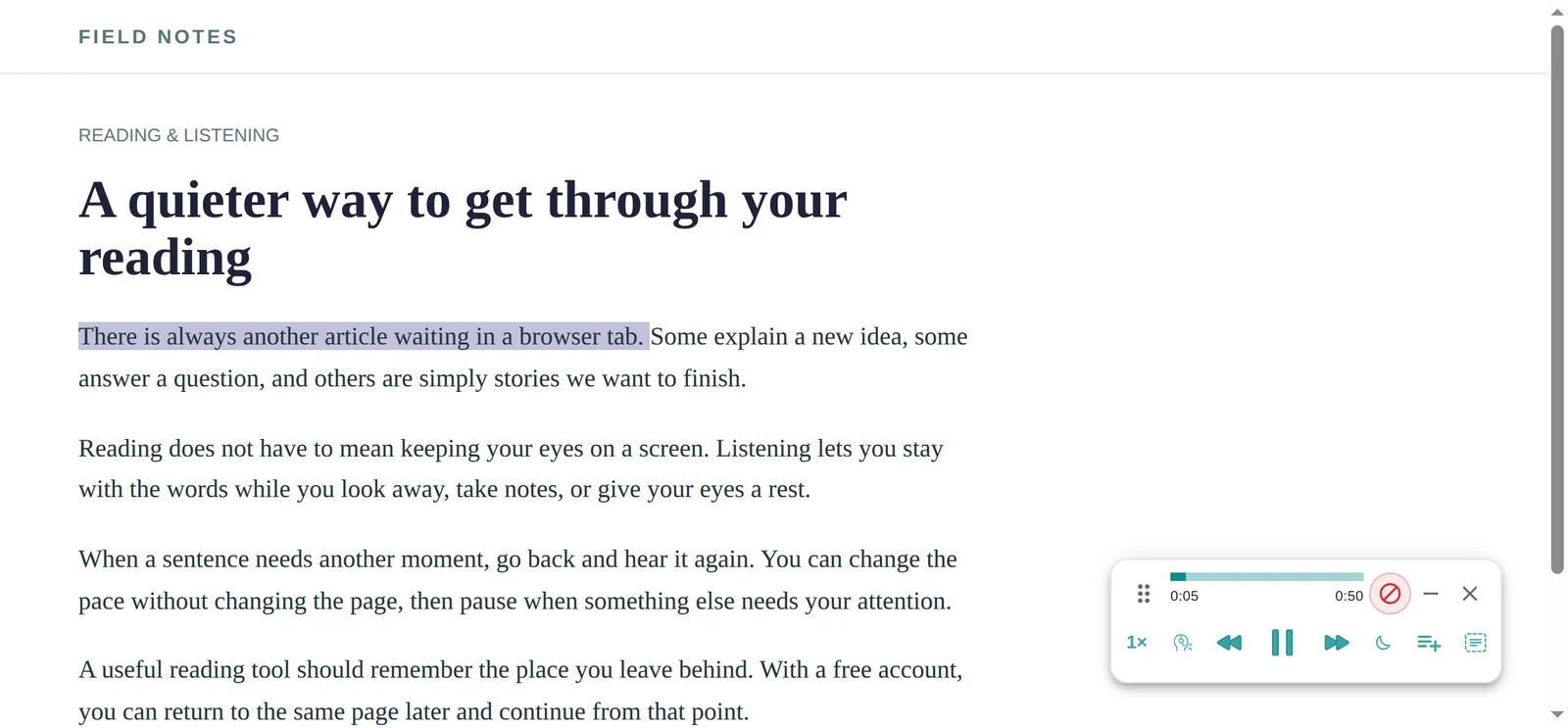
Start with one section you can check against the screen — for example, a heading followed by a few paragraphs of meeting notes. It's easier to notice missing text here than halfway through a long workspace page.
- Make the text visible. Open any toggles in that section. If the notes live in a database entry, open the entry as its own page rather than listening to the table or board.
- Listen at 1× and watch the highlight. Check that the paragraphs you wanted to hear are included. If a later section is missing, scroll to it so Notion loads it, then start playback again.
- Pause and replay a sentence. Try the sentence controls before leaving the page in the background. When proofreading, pause to make your edit and restart playback to check the revised paragraph.
An embedded research paper needs its own tab: the arXiv listening guide covers PDF versus HTML and equations. For a newsletter linked from your notes, open the Substack post on the web and listen to the article there.
Your own workspace, a teammate's wiki, or a public page: all three work
There's no "connect to Notion" step and no integration to authorise, because the extension never talks to Notion. It reads the page your browser has already rendered, the same text you're looking at. So your private pages read. A page a teammate shared reads, as long as you can open it. And public pages — the ones published with Share to web, at the notion.site addresses people use for docs, changelogs and résumés — read without logging in at all. The only requirement is that you can see the page. Nothing you can't open becomes readable, and nothing changes in your workspace.
What doesn't read well: toggles, databases and embeds
Toggles. A collapsed toggle hides its contents, and what's hidden isn't on the page for a reader to find. Open the toggles you want to hear before you press play. A page built entirely from closed toggles — an FAQ, a runbook — will sound like a list of headings until you do.
Databases. Tables, boards, galleries and calendars are grids of properties, not prose. Read aloud, you'll get a string of cell values at best. The fix is to open the entry you care about as its own page — every database row is one — and listen to that.
Embeds. A PDF, video, Figma file or Google Doc embedded in a Notion page is a window onto another site, and a reader reads the Notion page, not the thing inside the frame. Open the embedded file's own link in a tab and listen there; for PDFs, the PDF guide covers it, and Google Docs have their own route.
Code blocks. Every text-to-speech tool reads code badly, because code isn't sentences. Skip those with your eyes. Ordinary blocks — headings, paragraphs, bullet lists, quotes, callouts, columns — read the way you'd expect. And if a very long page stops playing before the end, scroll to the bottom once so Notion has loaded the rest of it, then press play again.
Proofread your own draft by ear
If you write in Notion, this is the use that sticks. Hearing a draft read back catches what your eyes skip over: the word you repeated, the sentence that never ends, the paragraph that only made sense in your head. The highlight tells you exactly which sentence the voice is on, so you can pause, fix it in the same tab, and press play again on the changed paragraph. It's also a decent way to catch up on the team wiki you were meant to read before the meeting, at 1.5×, with the page in a background tab.
Other ways to hear a Notion page, fairly compared
| Option | What you get | Best when |
|---|---|---|
| Lullula (that's us) | Reads the page in place, with sentence highlighting, saved place and summaries. Unlimited listening in browser voices, free and with no account, plus 2,000 premium words a month once you sign in. | You use Notion in a browser and want to listen to pages, not just skim them. |
| Notion AI | Summarises a page or answers questions about it, in text. It doesn't narrate. | You want the gist in writing rather than the whole page in audio. |
| Your operating system | Narrator (Windows) or Spoken Content (macOS) read selected text anywhere, including inside the desktop app. System voice, no highlighting, no saved place. | You live in the desktop app and want to hear a paragraph now and then. |
| Export, then listen | Notion exports any page as PDF, Markdown or HTML. The PDF can then be read aloud like any other. | You want an offline copy anyway, or a snapshot that stops changing. |
| Chrome reading mode or Edge Read Aloud | Built into the browser, free. Hit and miss on app-style pages like Notion, and no saved place. | Occasional use. Here's how Chrome's works. |
Frequently asked questions
Does Notion have text to speech built in?
Not as a read-aloud button, as of this writing. Notion works with screen readers and with your operating system's reader, and a browser extension adds play, pause, voice and speed controls on top of the page in the browser.
Does it work in the Notion desktop app?
No. Browser extensions don't run inside the desktop app. Open the same page at notion.so in Chrome, Edge or Firefox and it reads there. Your operating system's reader is the option that works inside the app itself.
Does Lullula need access to my Notion workspace?
No. There's no integration, no API key and nothing to authorise. It reads the page that's already open in your browser, with whatever permissions you already have.
Is my Notion content uploaded anywhere?
Your browser's built-in voices use its own speech engine (some browsers' online voices send the text to their provider). A premium voice, and an AI summary, each send the text of that one page to Lullula's servers and on to the speech or AI provider that produces the audio or the summary. We don't monitor pages you don't ask Lullula to read, and we don't sell your data; the privacy policy names every provider that receives the text and where each one processes it.
Can I listen to Notion pages on my phone?
Not with Lullula yet; it's a desktop extension. On a phone, your device's built-in reader — Speak Screen on iOS, Select to Speak on Android — will read what's on screen in the Notion app.
Does it read pages in other languages?
Yes: 600+ neural voices across 80+ languages. Pick a voice that matches the page's language; an English voice reading Spanish notes is not a pleasant experience.
Start with the page you were supposed to read this week
Open it in the browser, expand the toggles, press play. If you find you take in a project doc better by ear than by skimming, you've found a way through the wiki that doesn't need another block of focus time. The full detail on how web pages are handled is on the Read web pages aloud page.