How to listen to Substack newsletters (instead of letting them pile up)
Subscribing to a newsletter is easy; reading it is the part that slips. Every Substack you like arrives as an email, waits in your inbox for the weekend, and quietly becomes a backlog. Listening fixes more of that than you'd expect. Any post that opens in your browser can be read aloud in a natural voice, free, and ten unread issues turn into a couple of hours of audio you can get through while doing something else. Here's the setup, what Substack offers on its own, and the honest limits.
Listen to any Substack post in three steps
- Install a read-aloud extension. We make Lullula, a free extension for Chrome, Edge and Firefox that reads web pages, PDFs and EPUBs aloud. No account needed to start.
- Open the post on the web, not in your email. Click the post's title in the email and it opens on the publication's site as a plain article page. If you'd rather skip email entirely, your inbox on substack.com lists every publication you subscribe to and opens posts as those same web pages.
- Press play. The post is read aloud in a natural neural voice, each sentence is highlighted as it's spoken, and, once you sign in, your place is saved — close the tab halfway through an essay and it resumes there next time.
Speed runs from 0.5× to 2×. For the long ones — the 5,000-word essays some writers specialise in — you can ask for an AI summary first and decide whether the full listen deserves your time.
Check the first paragraph of a newsletter
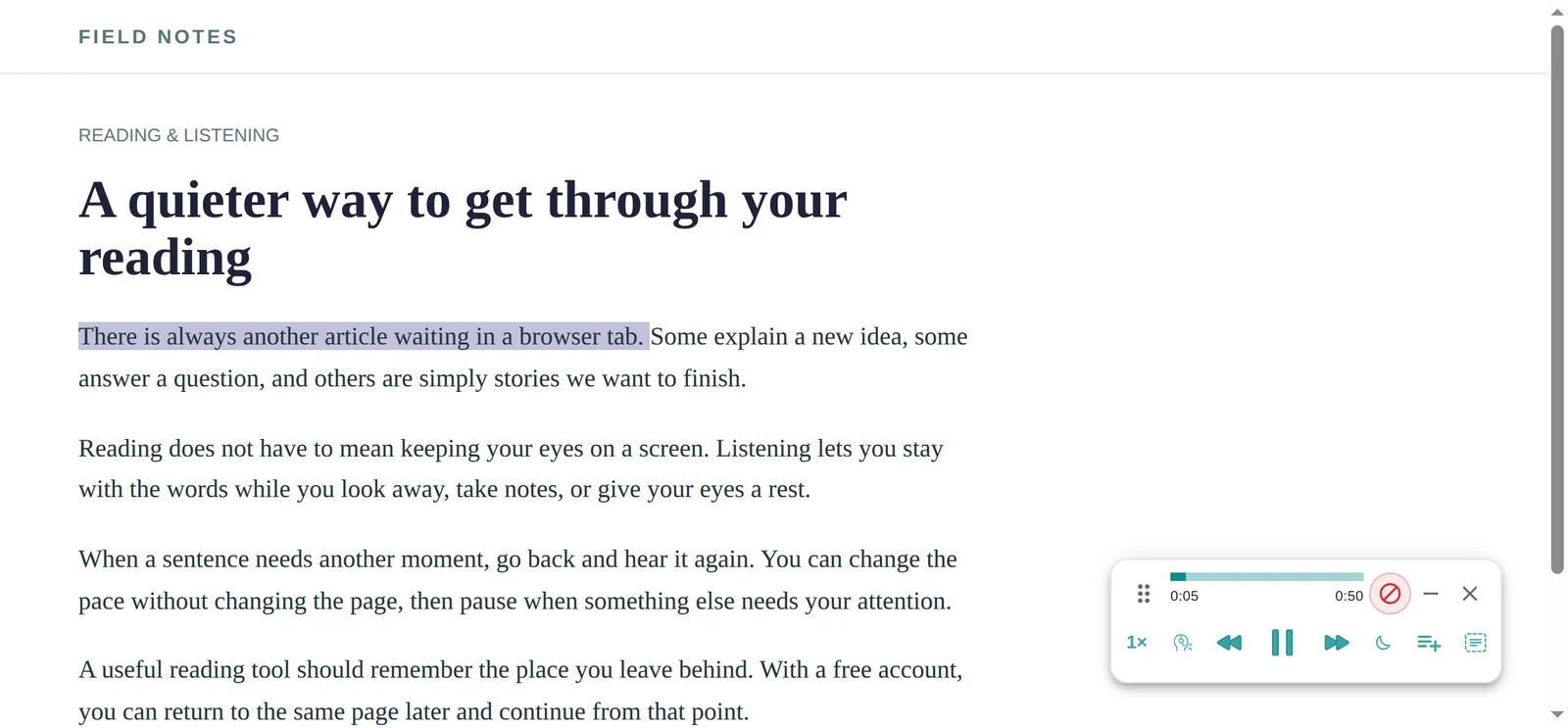
Choose a short post you can already read in full. For this first check, stay with the page rather than starting a long issue and immediately switching tabs.
- Open the publication's article page. Follow the post title from the email. If the browser shows only a paid preview, sign in to the publication with the subscription you already have; Lullula cannot reveal the rest.
- Listen to the first paragraph at 1×. Watch the sentence highlight and check that the post's body is being read. If you hear inbox controls, open the post's own page rather than the email view.
- Replay before increasing the pace. Use the previous-sentence control to hear a passage again, then choose a comfortable speed. Sign in to Lullula if you want your place saved for a later visit.
This same workflow works for other article pages; the guide to listening to articles covers a broader reading list. If you keep newsletter links alongside your own notes, see how to read the Notion page itself aloud.
Does Substack have its own text to speech?
Sometimes, and it's worth checking before you install anything. Substack lets writers add a voiceover to a post: an audio version that appears as a player at the top of the page. Some writers record one for every issue; most never do, because narrating a 3,000-word essay is an hour's work. Where the player exists, use it — it's the writer's own voice, it's already on the page, and no extension will beat it. Where it doesn't — the majority of posts — a read-aloud tool is how the post becomes audio.
Your email inbox or Substack's web app: where to press play
You can read a Substack post in three places, and they don't all listen equally well. The email in Gmail or Outlook is the weakest candidate: it's the post inside your mail client's interface, with the like and share buttons in the same box and the rest of your inbox around it. The post's own web page is the best: it's a clean article, and an extension that finds the article body reads the essay and not the furniture around it. Substack's website inbox, where every subscription you have lands in one list, opens posts as those same pages, so it works just as well and saves you a detour through email.
Paid newsletters you already subscribe to
The plain answer: paywalled posts read fine, as long as you're a paying subscriber. A paid post is still just a web page; being logged in is what makes the full text load instead of the preview. The extension reads whatever your browser shows you. It doesn't get around the paywall, and it doesn't need to. If you open a paid post from a publication you don't subscribe to, you'll hear the free preview and then the line about the rest being for paid subscribers, which is exactly what's on the page.
Working through the backlog on a commute
A newsletter backlog is smaller as audio than it looks as email. A typical issue runs 1,000 to 2,500 words; at a natural pace of about 140 spoken words a minute, that's 7 to 18 minutes each. Ten unread issues come to roughly two hours — a week of train commutes with a laptop open, or a few evenings of dishes with a tab playing in the background. Two things make this work in practice, both once you sign in. Saving the posts you want to hear with Listen later, so the queue lives in one place instead of across twenty emails. And resume: stop mid-essay when you reach your station, and it picks up from the same sentence tomorrow.
The honest caveat: Lullula is a desktop browser extension, so "commute" here means a laptop on a train, not a phone in your pocket. There's no phone app yet. If most of your listening happens on a phone, the options in the table below will serve you better than we will. Our guide to listening to articles has more on what listening is good for and what it isn't.
Other ways to listen to Substack, fairly compared
| Option | What you get | Best when |
|---|---|---|
| Lullula (that's us) | Reads any post open in your browser, with sentence highlighting, saved place, summaries and Listen later. Unlimited listening in browser voices, free and with no account, plus 2,000 premium words a month once you sign in. | Your newsletters get read on a laptop and you want one queue for posts, articles and PDFs. |
| The writer's voiceover | The writer's own recording, playable on the post itself. | It exists. Always prefer it when it does. |
| Chrome reading mode or Edge Read Aloud | Built into the browser, free, no install. No saved place and no summaries. | Occasional listening. Here's how Chrome's works. |
| Read-later apps (Matter, Readwise Reader) | Built-in narration, a proper queue, and phone apps. Both can take newsletter subscriptions directly. | You already funnel everything you read into one app and want it on your phone. |
| Your operating system | Narrator (Windows) or Spoken Content (macOS) read anything on screen, free. | No install at all, and you can live with a system voice and no highlighting. |
Frequently asked questions
Does Substack have text to speech?
Not for every post. Writers can add an audio voiceover to a post, and some do; where one exists you'll see a player on the page. For posts without one, a browser extension or your operating system's reader turns the text into audio.
Can I listen to paid Substack posts?
Yes, if you subscribe. Log in, open the post on the web, and the full text loads as a normal page, which is what gets read. Without a subscription, only the free preview is on the page, so only the preview is read.
Can I listen from the email itself?
You can try, but the web page is the better listen. Click the post title in the email to open it on the publication's site, then press play. Mail clients wrap the post in their own interface, which makes for a messier read.
Does it read the comments, buttons and subscribe boxes?
Playback starts at the first sentence of the post body. The rules that keep a reader out of a comment thread shipped in v1.6.0 on 13 September 2026. We still won’t promise every Substack layout is covered: if the comments get read, tell us which post. Writers also drop a subscribe button into the middle of a post, and whether a line of it gets read depends on how it’s embedded. The sentence highlighting shows you what’s being read either way.
Can I listen to Substack on my phone?
Not with Lullula yet; it's a desktop extension for Chrome, Edge and Firefox. On a phone, a writer's voiceover plays in Substack's own app where one exists, and your phone's built-in reader (Speak Screen on iOS, Select to Speak on Android) will read a post that's on screen.
What does it cost?
Nothing to start: unlimited listening in your browser's built-in voices, plus 2,000 words a month of premium neural voices once you sign in, about one long issue. Pro, from $5 a month billed yearly ($59.99 a year) or $7.99 monthly, has a much larger premium-voice allowance. Details here.
Start with the issue that's been unread the longest
Don't reorganise your subscriptions. Open the oldest unread post in your inbox on the web, press play, and find out whether you absorb a newsletter by ear while clearing the kitchen. If you do, the backlog stops being a backlog. If you'd rather compare tools first, here's how we stack up against Speechify.